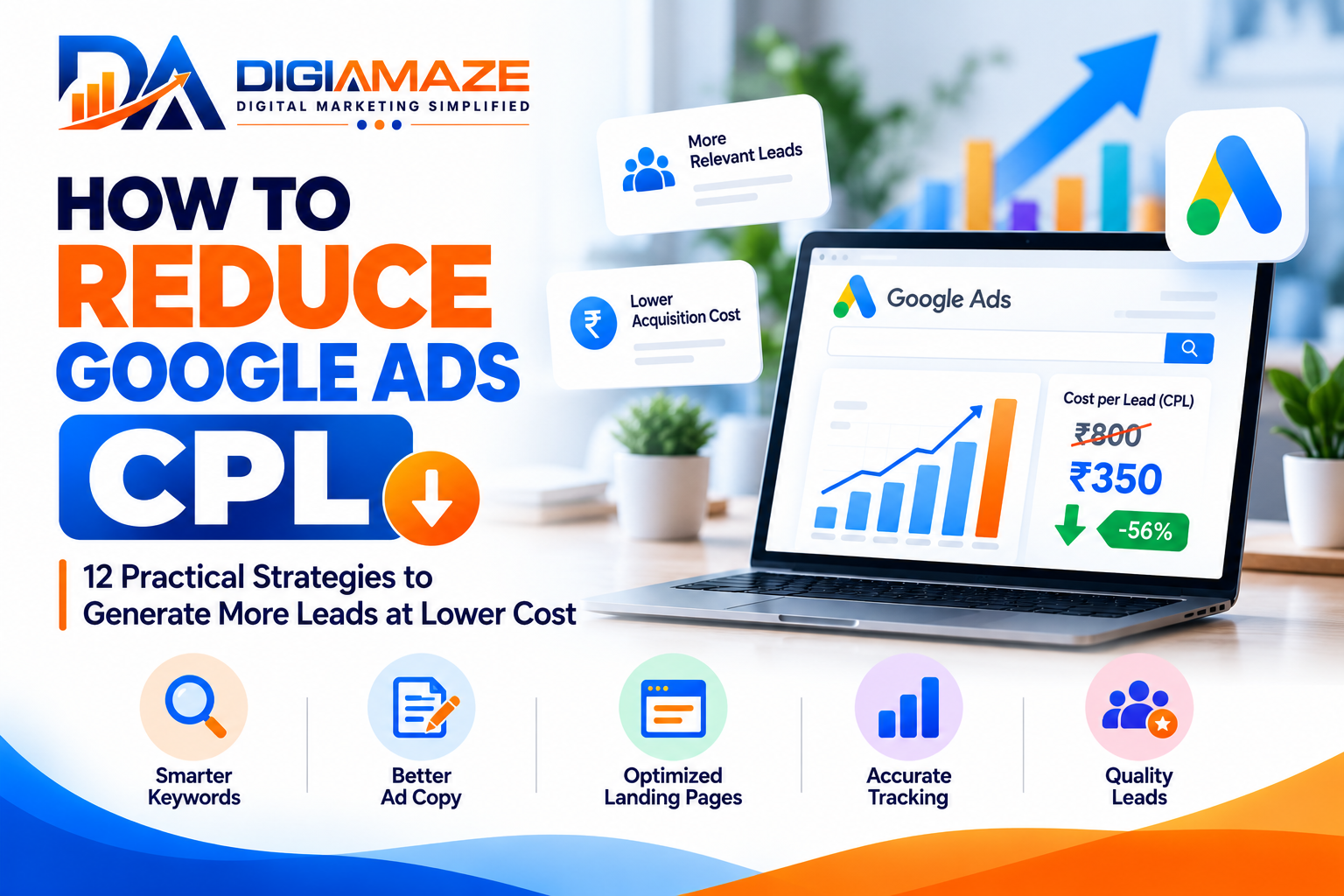
How to Reduce Google Ads CPL: 12 Proven Strategies to Generate More Leads at Lower Cost
Generating leads through Google Ads can help businesses reach potential customers who are actively searching for their products or services. However, when the Cost Per Lead (CPL) increases, the same advertising budget may generate fewer enquiries, making it harder to achieve marketing goals.
Many businesses respond by reducing their advertising budgets or changing bids. But lowering Google Ads CPL requires a more structured approach. Keyword relevance, ad quality, landing page performance, conversion tracking, campaign targeting, and lead qualification all influence the overall cost of generating leads.
The objective is not simply to generate the cheapest leads. It is to attract relevant, qualified leads at a sustainable cost.
In this guide, we will explore 12 practical strategies to help businesses reduce Google Ads CPL and improve campaign performance.
What Is Google Ads CPL?
Cost Per Lead (CPL) is the average amount spent on advertising to generate one lead.
The formula is:
CPL = Total Advertising Spend ÷ Total Leads Generated
For example, if you spend ₹30,000 on Google Ads and generate 100 leads, your CPL is ₹300.
If your advertising spend remains ₹30,000 but you generate 150 leads, your CPL becomes ₹200.
This means the campaign is generating more leads from the same budget. However, it is important to check whether those additional leads are relevant and likely to become customers.
CPL vs. Cost Per Qualified Lead
CPL measures the average advertising cost per lead, while Cost Per Qualified Lead measures the cost of generating leads that meet your business’s qualification criteria.
For example:
| Metric | Campaign A | Campaign B |
|---|---|---|
| Advertising spend | ₹30,000 | ₹30,000 |
| Leads generated | 100 | 75 |
| Cost per lead | ₹300 | ₹400 |
| Qualified leads | 20 | 30 |
| Cost per qualified lead | ₹1,500 | ₹1,000 |
In this hypothetical example, Campaign B has a higher CPL but a lower cost per qualified lead.
This illustrates why businesses should evaluate lead quality alongside CPL.
1. Identify the Campaigns With High CPL
Before making changes, identify where your Google Ads CPL is increasing.
Review performance at multiple levels:
- Campaign.
- Ad group.
- Keyword and search term.
- Device.
- Geographic location.
- Landing page.
- Conversion action.
Look for campaigns that consume a significant portion of the budget but generate few relevant leads.
Compare recent performance with an earlier period of similar length, taking seasonality, changes in demand, and conversion delays into account.
Avoid changing every campaign at once. Identify the biggest areas of opportunity and prioritize changes based on their likely business impact.
2. Improve Keyword Targeting
Keyword selection directly affects the relevance of the traffic reaching your website.
Broad or loosely related keywords may attract visitors who are researching a topic rather than looking for the service you offer.
For example, a business selling digital marketing services may find that searches for free courses, jobs, tutorials, or definitions generate clicks without relevant enquiries.
To improve keyword targeting:
- Focus on keywords that match your products or services.
- Group related keywords into relevant ad groups.
- Review actual search terms regularly.
- Use appropriate keyword match types.
- Exclude clearly irrelevant searches using negative keywords.
- Evaluate keywords based on qualified leads, not clicks alone.
Do not remove a keyword simply because it has a high CPC. If it consistently generates qualified leads and customers, it may be worth retaining.
3. Use Negative Keywords Strategically
Negative keywords help prevent advertisements from appearing for searches that are unlikely to generate useful leads.
For example, depending on the business and campaign objective, you may consider excluding terms related to:
- Free services.
- Jobs and careers.
- Training courses.
- Unrelated products or services.
- Informational searches that do not match your offer.
These are examples only. A term that is irrelevant to one business may be valuable to another.
Review the Search Terms report in Google Ads to identify irrelevant queries that consume budget. Add negative keywords carefully and check for conflicts with your intended keywords.
A well-maintained negative keyword list can reduce wasted clicks and improve traffic relevance.
4. Improve Ad Copy and Relevance
Your advertisement should clearly communicate what you offer and why the user should consider your business.
When ad copy closely matches the search intent, users can better understand whether your offer is relevant before clicking.
For example, an advertisement for website development should not direct users to a page focused primarily on social media management.
Improve ad relevance by:
- Including relevant service terms naturally.
- Communicating genuine benefits.
- Highlighting a specific offer where appropriate.
- Using clear calls to action.
- Keeping ad messaging consistent with the landing page.
- Testing different headlines and descriptions.
Avoid unsupported promises, exaggerated claims, and misleading offers.
Review Google’s ad strength and diagnostic recommendations where available, but do not treat any single score as a guarantee of lower CPL. Actual performance depends on multiple factors.
5. Improve Your Landing Page Conversion Rate
One of the most effective ways to reduce CPL is to improve the percentage of visitors who become leads.
A landing page that loads slowly, contains confusing information, or makes it difficult to submit an enquiry can waste valuable advertising spend.
A strong landing page should include:
- A clear headline that matches the advertisement.
- Relevant information about your service.
- A visible call to action.
- A simple enquiry form.
- Trust signals that can be substantiated.
- Mobile-friendly design.
- Fast loading speed.
- Clear contact details.
Avoid asking for unnecessary information in the enquiry form. Collect only what your business needs to respond appropriately.
Example: How Conversion Rate Affects CPL
Suppose your average cost per click is ₹30.
At a 5% landing page conversion rate, the estimated CPL is ₹600.
At a 10% conversion rate, the estimated CPL is ₹300.
The calculation assumes that each conversion represents one lead and that the average CPC remains unchanged.
Improving conversion rate can reduce CPL without increasing the advertising budget.
6. Improve Conversion Tracking Accuracy
Incorrect conversion tracking can lead to misleading CPL reports and poor optimization decisions.
For example, if Google Ads counts button clicks, duplicate form submissions, and genuine enquiries as separate conversions, the reported lead volume may be higher than the number of actual leads.
Review your conversion setup to ensure it records meaningful actions.
Check that:
- Form submissions are recorded correctly.
- Duplicate conversions are handled appropriately.
- Calls are measured using suitable settings.
- Primary conversion actions reflect your main campaign objective.
- Test submissions do not inflate reporting.
- Conversion tags and analytics integrations work as intended.
If your business generates leads through a CRM, consider importing eligible offline conversion data where technically supported and permitted by applicable privacy rules and Google policies.
Accurate data helps you understand which campaigns are actually contributing to business results.
7. Review Bidding Strategies and Budget Allocation
Your bidding strategy should align with your campaign objectives and the quality of your conversion data.
Depending on the account, available strategies may include Maximize Conversions or Target CPA.
Consider these practices:
- Use conversion-focused bidding when meaningful conversion tracking is in place.
- Set realistic targets based on historical performance and business economics.
- Avoid changing bidding strategies too frequently.
- Allow time for campaigns to adapt after significant changes.
- Evaluate budget allocation using qualified lead performance where measurable.
Setting an unrealistically low Target CPA may limit delivery and reduce lead volume. A higher target does not automatically produce better leads either.
Review campaign performance and make changes based on sufficient data rather than assumptions.
8. Optimize Geographic and Device Performance
Not every location or device will perform equally well for every business.
Review where your leads originate and whether those locations match your service area.
For example, a Hyderabad-based business serving local customers may need a different geographic setup from a company offering services throughout India.
Check:
- Geographic performance.
- Location settings and actual user relevance.
- Mobile versus desktop conversion rates.
- Device-specific landing page issues.
- Differences in lead quality by location or device.
Do not exclude a location or device solely because its CPL is higher. Consider the volume and quality of leads, sales outcomes, and the reliability of the data.
9. Test Different Landing Pages and Offers
A landing page or offer that works well for one audience may not perform equally well for another.
Test meaningful variations, such as:
- Different headlines.
- Shorter enquiry forms.
- More relevant service information.
- Alternative calls to action.
- Different page layouts.
- Better mobile navigation.
Where possible, use a controlled testing method so that you can identify which changes are associated with better results.
Avoid making several major changes simultaneously if you need to understand what caused a performance improvement or decline.
Evaluate the results using conversion rate, CPL, and lead quality together.
10. Improve Lead Quality With CRM Feedback
Google Ads can generate enquiries, but the sales process determines whether those enquiries become customers.
Connect campaign reporting with your CRM or lead management process where possible.
Record useful, privacy-conscious information about lead status, such as:
- Whether the enquiry is relevant.
- Whether the lead was contacted.
- Whether the lead meets qualification criteria.
- Whether a sales opportunity was created.
- Whether the lead eventually became a customer.
Share aggregated results with the marketing team to identify which campaigns generate stronger prospects.
Where supported and permitted, eligible offline conversion tracking can help advertising optimization reflect meaningful downstream outcomes instead of relying exclusively on form submissions.
11. Reduce Wasted Spend Without Cutting Valuable Traffic
Reducing advertising costs does not always mean reducing the budget.
The priority should be to identify spending that does not contribute to your business objectives.
Review:
- Irrelevant search terms.
- Poorly matched landing pages.
- Duplicate or low-value conversion actions.
- Campaigns with weak qualified lead performance.
- Geographic areas outside your service coverage.
- Budget distribution across different campaign objectives.
At the same time, protect campaigns and keywords that consistently generate qualified leads.
A low CPL is useful only when it supports the business’s broader acquisition goals.
12. Monitor CPL With a Consistent Reporting Process
Regular reporting helps you identify changes before they become major problems.
Build a report that includes:
| Metric | Why it matters |
|---|---|
| Advertising spend | Measures investment |
| Clicks | Shows traffic volume |
| Average CPC | Indicates average cost per click |
| Leads | Measures enquiry volume |
| Conversion rate | Shows how efficiently clicks become leads |
| CPL | Measures average cost per lead |
| Qualified leads | Shows relevant lead volume |
| Cost per qualified lead | Connects spending with lead quality |
Review these metrics consistently, using comparable time periods and clearly defined conversion actions.
Avoid optimizing campaigns based on one metric alone. A lower CPL combined with declining lead quality may not represent genuine improvement.
Common Mistakes That Increase Google Ads CPL
Businesses often struggle with high CPL because of avoidable issues, including:
- Targeting broad keywords without reviewing intent.
- Ignoring negative keywords.
- Using generic landing pages.
- Failing to test mobile experiences.
- Counting low-value actions as leads.
- Making frequent, unmeasured campaign changes.
- Setting unrealistic bidding targets.
- Ignoring sales team feedback.
- Evaluating performance based only on the number of enquiries.
Addressing these issues systematically can help businesses make better use of their Google Ads budget.
Conclusion: Focus on Lower CPL and Better Lead Quality
Reducing Google Ads CPL requires more than lowering bids or cutting budgets. It involves improving the entire journey from search query to advertisement, landing page, enquiry, and sales follow-up.
Start by identifying high-cost areas, improving keyword relevance, excluding irrelevant searches, optimizing landing pages, and validating conversion tracking. Then use lead-quality data to refine your bidding, targeting, and budget decisions.
Most importantly, measure success by the value of the leads generated—not just the number of enquiries.
A sustainable Google Ads strategy should help your business attract relevant prospects at a cost that supports your commercial goals.
About the Author
Kotla Ranjith Kumar Reddy is a Digital Marketing Consultant in Hyderabad, India, specializing in Google Ads, SEO, performance marketing, lead generation, and digital marketing strategy.
Through DigiAmaze – Digital Marketing Simplified, he shares practical insights to help businesses improve campaign performance, generate relevant enquiries, and make data-driven marketing decisions.
🌐 Website: https://www.digiamaze.com/
Disclaimer: The strategies discussed in this article are general marketing guidance. Results vary by industry, competition, campaign setup, and market conditions. No specific CPL reduction is guaranteed.