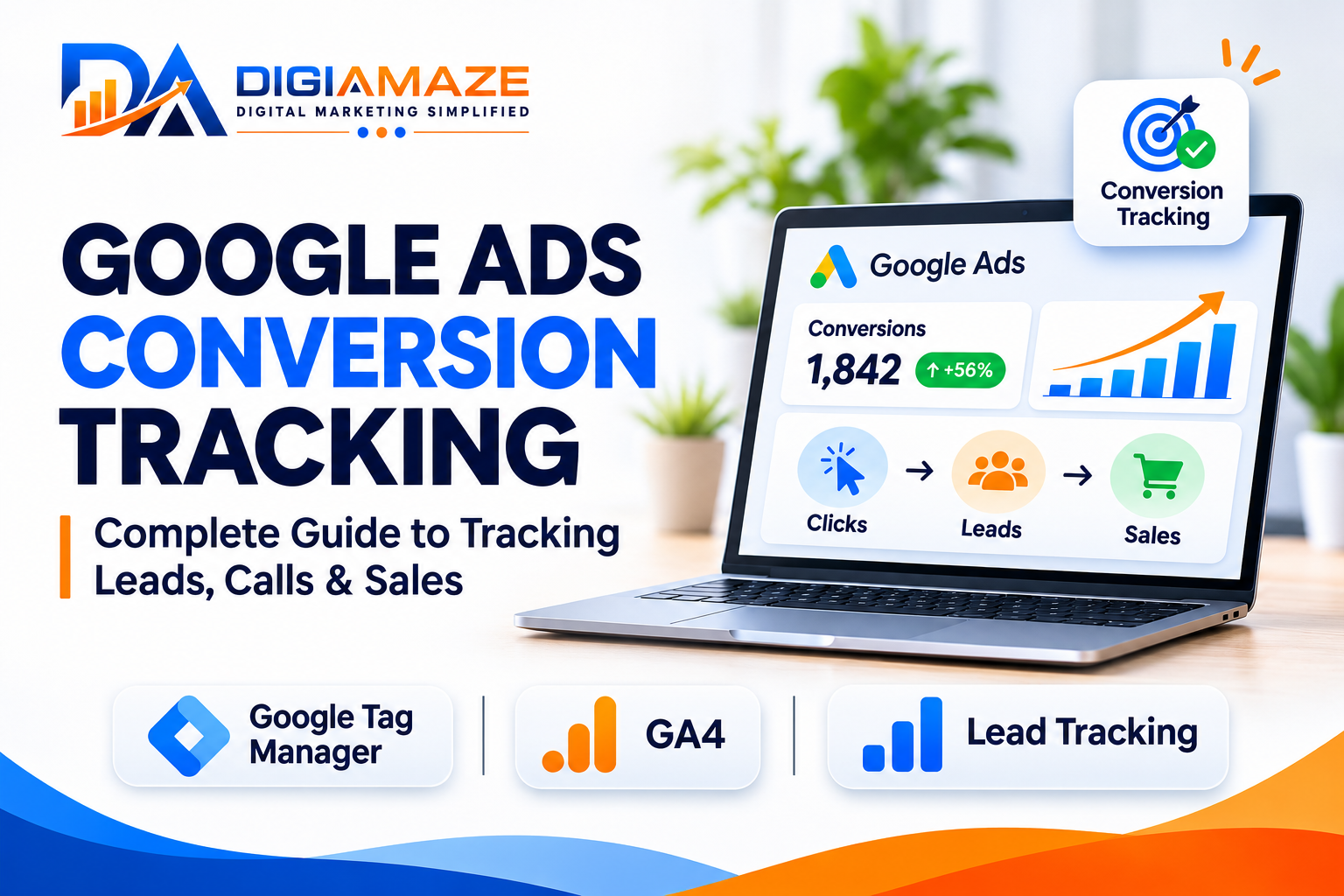
Google Ads Conversion Tracking: Complete Guide to Tracking Leads, Calls & Sales
Running Google Ads without proper conversion tracking is like investing in advertising without knowing what results your money is generating.
You may see clicks, impressions, and website traffic increasing, but are those visitors actually submitting enquiries, calling your business, or purchasing your products?
Google Ads Conversion Tracking helps businesses understand which advertising interactions lead to valuable customer actions.
In this complete guide, we will explore how Google Ads conversion tracking works, how to set it up using Google Tag Manager, how to track leads and phone calls, and how to troubleshoot common tracking issues.
What Is Google Ads Conversion Tracking?
Google Ads conversion tracking is a measurement system that helps advertisers identify actions customers take after interacting with their advertisements.
These actions are called conversions.
Depending on your business model, conversions may include:
- Website enquiry form submissions
- Phone calls from advertisements
- Phone calls from your website
- Product purchases
- Appointment bookings
- Demo requests
- WhatsApp enquiry clicks
- Newsletter registrations
- Downloads or registrations
For example, if a customer searches for a service on Google, clicks your advertisement, visits your website, and submits an enquiry form, conversion tracking can help measure that enquiry as a Google Ads conversion when the tracking is correctly implemented.
This information helps advertisers understand campaign performance and make more informed optimization decisions.
Why Is Google Ads Conversion Tracking Important?
Many businesses evaluate Google Ads campaigns using impressions, clicks, CTR, and CPC.
However, these metrics alone cannot tell you whether your advertising is generating meaningful business opportunities.
Conversion tracking provides additional insights into:
1. Campaign Performance
Identify which campaigns, ad groups, keywords, and advertisements are generating conversions.
2. Cost Per Lead
Calculate the average advertising cost required to generate an enquiry.
Formula:
Cost Per Lead = Total Advertising Spend ÷ Total Leads
3. Conversion Rate
Understand how effectively advertising clicks turn into valuable actions.
Formula:
Conversion Rate = Conversions ÷ Ad Interactions × 100
4. Smart Bidding Optimization
Google Ads automated bidding strategies can use conversion data to optimize towards your selected advertising goals.
For example, strategies such as Maximize Conversions and Target CPA use conversion signals to help optimize campaign performance.
5. Business-Level Reporting
When advertising data is connected with CRM and sales outcomes, businesses can evaluate qualified leads, appointments, and actual revenue rather than focusing exclusively on website enquiries.
Types of Google Ads Conversions
Before implementing conversion tracking, identify which customer actions matter most to your business.
| Conversion Type | Example |
|---|---|
| Website Leads | Contact form submissions |
| Phone Calls | Calls from ads or website |
| Purchases | WooCommerce transactions |
| App Conversions | App installations or actions |
| Engagement | Registrations or bookings |
| Offline Conversions | Qualified leads or sales recorded in CRM |
The conversion actions you configure should reflect your actual business objectives.
Google Ads Conversion Tracking Methods
There are several ways to implement Google Ads conversion tracking.
1. Google Tag
The Google tag can be installed directly on your website to measure Google Ads conversions and support other Google measurement features.
2. Google Tag Manager (GTM)
Google Tag Manager allows marketers and developers to manage tracking tags through a container without manually adding every tracking script to website pages.
It is particularly useful for managing Google Ads conversion tags, GA4 events, and other marketing measurement tools.
3. Google Analytics 4 (GA4)
GA4 can track website events and key events. You can import eligible GA4 key events into Google Ads or implement Google Ads conversion tracking directly.
The two approaches can coexist, but they should be configured carefully to avoid duplicate reporting.
4. Google Ads Website Conversion Tag
A dedicated Google Ads conversion tag measures specific conversion actions directly within Google Ads.
For lead generation campaigns, this can be particularly useful when you want to track form submissions, calls, and other important customer actions.
How to Set Up Google Ads Conversion Tracking Using Google Tag Manager
One of the most common implementation approaches is Google Ads conversion tracking through Google Tag Manager.
Here is a practical step-by-step workflow.
Step 1: Create a Conversion Action in Google Ads
Sign in to your Google Ads account.
Navigate to:
Goals → Conversions → Summary
Create a new conversion action and select the appropriate conversion source.
For website lead generation, select the website conversion option.
Configure the following details:
- Conversion name
- Conversion category
- Conversion value
- Count setting
- Conversion window
- Attribution settings
For lead generation, the conversion action name could be:
Website Enquiry Form Submission
Choose an appropriate value and counting method based on your business objectives.
For example, counting every valid lead may be suitable for lead generation, whereas counting one conversion per ad interaction may be more appropriate for certain purchase measurement scenarios.
Step 2: Get the Conversion ID and Conversion Label
After creating the conversion action, open its tag setup instructions.
Select Google Tag Manager as your implementation method.
Google Ads will provide the required conversion information, including:
- Conversion ID
- Conversion Label
Keep these details available for your GTM configuration.
Step 3: Configure Google Tag Manager
Open your Google Tag Manager account and select the correct website container.
Navigate to:
Tags → New → Tag Configuration
Select:
Google Ads Conversion Tracking
Enter the Conversion ID and Conversion Label obtained from Google Ads.
If applicable, configure conversion value, currency, and transaction ID.
Step 4: Configure the Conversion Trigger
The trigger determines when your conversion tag should fire.
For enquiry form tracking, one reliable approach is to use a successful form submission event or a dedicated confirmation page.
For example:
A visitor submits an enquiry form and successfully reaches:
https://www.example.com/thank-you
Your Google Ads conversion tag can fire when this confirmation page loads, provided the page can only be reached after a successful submission.
Alternatively, use a properly implemented form-success event through GTM.
Important: Do not trigger conversions simply because someone clicks the Submit button. A click does not necessarily mean the form was successfully submitted.
Step 5: Configure Conversion Linker
In Google Tag Manager, configure a Conversion Linker tag and set it to fire across relevant website pages.
This helps support advertising click information used for conversion attribution.
If your existing Google tag setup already provides the required functionality, avoid creating unnecessary duplicate configurations.
Step 6: Test the Conversion Tag
Before publishing your GTM container:
- Open GTM Preview mode.
- Visit your website.
- Complete a test enquiry.
- Check whether the conversion tag fires.
- Confirm the correct trigger is activated.
- Review the tag execution details.
Once the implementation is verified, publish the GTM container.
Step 7: Verify Conversion Tracking in Google Ads
After publishing, check the conversion action status in Google Ads.
You may see statuses indicating that the conversion action is recording, needs attention, or has not yet received data.
Allow time for conversion data to appear. Reporting and diagnostic updates are not always immediate.
How to Track Website Form Submissions
Website form tracking is one of the most important conversion implementations for lead generation businesses.
For example, a company running Google Ads for real estate, healthcare, education, or professional services may receive enquiries through website forms.
A reliable tracking workflow should include:
- Visitor clicks a Google advertisement.
- Visitor lands on the relevant service page.
- Visitor fills in the enquiry form.
- Website validates the form.
- Form submission succeeds.
- A success event or confirmation page is triggered.
- Google Ads conversion tag records the conversion.
This approach helps ensure that actual form submissions are measured rather than unsuccessful submission attempts.
How to Track Phone Calls in Google Ads
Phone calls are an important conversion source for businesses that generate enquiries through direct conversations.
Google Ads supports different call measurement approaches.
1. Calls From Ads
Google Ads call reporting can help measure calls generated through eligible call assets and other supported call-focused advertising formats.
Depending on the configuration, you can define a minimum call duration to count a call as a conversion.
2. Calls From Your Website
Website call conversion tracking can help measure calls from visitors who reach your website through advertising.
This may involve Google forwarding numbers where supported and available in your account and region.
3. Click-to-Call Tracking
A click on a phone number link can be tracked as an event.
However, a click on a phone number does not confirm that the user completed a call.
Best practice: Distinguish phone number clicks from actual calls wherever reliable call measurement is available.
Google Ads Conversion Tracking vs GA4 Conversion Tracking
Many advertisers use both Google Ads and Google Analytics 4.
Although these platforms support conversion measurement, their reporting may not match exactly.
| Feature | Google Ads | GA4 |
|---|---|---|
| Primary purpose | Advertising measurement | Website and app analytics |
| Reporting focus | Ad-attributed conversions | User and event behavior |
| Conversion setup | Conversion actions | Events and key events |
| Attribution | Google Ads attribution | GA4 attribution settings |
| Campaign optimization | Google Ads bidding | Analytics reporting and insights |
Why Google Ads and GA4 Conversion Numbers Differ
Differences can occur because of:
- Attribution models
- Conversion counting settings
- Conversion windows
- Reporting time zones
- Consent and privacy restrictions
- Cross-device measurement
- Event implementation differences
- Duplicate or missing tags
For example, Google Ads may attribute a conversion to an advertising interaction based on its attribution settings, while GA4 may assign credit differently.
Do not assume that different conversion numbers automatically indicate a tracking error. First compare the conversion definitions, attribution settings, reporting dates, and implementation.
What Are Enhanced Conversions in Google Ads?
Enhanced conversions help improve conversion measurement by supplementing existing conversion tags with eligible first-party customer data, such as email addresses or phone numbers.
This information is normalized and hashed using SHA-256 before being securely transmitted according to Google’s requirements.
Google can use the data to improve conversion matching and measurement.
Enhanced conversions can be particularly useful for businesses that depend on website lead generation and customer enquiries.
However, implementation must follow Google Ads customer data policies and applicable privacy requirements.
How to Track Google Ads Leads Through CRM
Tracking a form submission is only the beginning of lead generation measurement.
A more advanced approach connects advertising data with CRM outcomes.
For example:
Google Ads Click → Website Enquiry → CRM Lead → Qualified Lead → Appointment → Customer
This approach helps businesses understand which campaigns generate actual sales opportunities.
For eligible implementations, offline conversion imports or enhanced conversions for leads can help connect CRM outcomes with advertising interactions.
This can provide valuable feedback for campaign optimization.
Common Google Ads Conversion Tracking Problems
1. Conversion Tag Not Firing
Possible causes:
- Incorrect GTM trigger
- Wrong Conversion ID or Label
- GTM container not published
- Incorrect confirmation page condition
- JavaScript or form implementation issues
2. Duplicate Conversions
Possible causes:
- Multiple conversion tags firing
- GA4 conversion import and Google Ads tag counting the same action
- Confirmation page refreshing
- Form success event firing more than once
3. Google Ads Shows Zero Conversions
Possible causes:
- Tracking implementation errors
- No qualifying conversion activity
- Incorrect conversion action configuration
- Reporting delay
- Consent or browser-related measurement limitations
4. Conversion Tracking Shows More Leads Than the CRM
Possible causes:
- Duplicate form events
- Button clicks counted as conversions
- Invalid or unsuccessful submissions
- Conversion tags firing on page reloads
- Different definitions of a lead
5. GA4 and Google Ads Reporting Mismatch
Possible causes:
- Different attribution settings
- Different conversion definitions
- Different time zones
- Different conversion counting rules
- Reporting and processing delays
Google Ads Conversion Tracking Checklist
Before running or optimizing campaigns, review the following:
- Conversion actions are configured correctly.
- Google tag or GTM implementation is verified.
- Conversion IDs and labels are correct.
- Form tracking measures successful submissions.
- Phone call tracking is configured appropriately.
- Conversion Linker is configured where required.
- Duplicate conversions are checked.
- Conversion values are configured correctly.
- GA4 and Google Ads events are reviewed.
- GTM Preview and Tag Assistant testing is completed.
- Google Ads conversion diagnostics are reviewed.
- CRM lead quality is monitored.
- Consent and privacy requirements are respected.
Final Thoughts
Google Ads conversion tracking is not just a technical setup. It is the foundation of performance marketing measurement.
Without accurate tracking, businesses may struggle to identify profitable campaigns, understand lead quality, or make reliable optimization decisions.
A properly implemented conversion tracking system helps advertisers move beyond clicks and impressions toward meaningful business outcomes.
Whether you are running campaigns for healthcare, real estate, education, ecommerce, or professional services, accurate conversion measurement should be one of your highest priorities.
Remember: Better conversion tracking leads to better insights, smarter optimization decisions, and more accountable advertising performance.
About the Author
Kotla Ranjith Kumar Reddy
Digital Marketing Consultant in Hyderabad, India
Kotla Ranjith Kumar Reddy is a Digital Marketing Consultant specializing in Google Ads, SEO, Meta Ads, performance marketing, lead generation, marketing automation, and conversion tracking.
He helps businesses improve their digital marketing performance through data-driven advertising strategies, conversion measurement, and marketing optimization.
Website: https://www.digiamaze.com/
Frequently Asked Questions
What is Google Ads conversion tracking?
Google Ads conversion tracking measures valuable actions customers take after interacting with your advertisements, such as form submissions, calls, purchases, or registrations.
Is Google Ads conversion tracking free?
Google Ads conversion tracking does not have a separate tracking fee. However, advertising clicks and campaign spend are charged according to your advertising setup.
Can I track Google Ads conversions using Google Tag Manager?
Yes. Google Tag Manager supports Google Ads conversion tracking and allows marketers to configure tags and triggers without manually adding each tracking script to website pages.
Why are Google Ads conversions different from GA4 conversions?
The platforms may use different attribution settings, conversion definitions, counting methods, and reporting processes.
How long does Google Ads conversion tracking take to work?
Tracking can begin recording after a correct implementation and qualifying activity, but reporting and conversion diagnostics may take additional time to update.
Can Google Ads track phone calls?
Yes. Google Ads supports call conversion measurement through eligible call-focused ads, call assets, and website call tracking configurations.
What is the difference between a click and a conversion?
A click represents an interaction with an advertisement. A conversion represents a valuable action completed after an advertising interaction, such as an enquiry, purchase, or booking.
Sources
- Google Ads Help: <Link url=”https://support.google.com/google-ads/answer/13262500″ title=”Enhanced Conversions Setup”/>
- Google for Developers: <Link url=”https://developers.google.com/tag-platform/devguides/conversions” title=”Measure Conversions and Key Events”/>
- Google Ads Privacy Hub: <Link url=”https://business.google.com/in/privacy/products/enhanced-conversions/” title=”Enhanced Conversions Overview”/>
For implementation details, always check the latest Google Ads documentation, as tracking interfaces and configuration options may change.